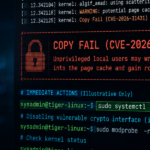
Last month’s “Copy Fail” vulnerability (CVE-2026-31431), and the related vulnerabilty Dirty Frag (CVE-2026-43284), triggered a familiar pattern across the Linux world.
Teams moved quickly. Packages were updated. Dashboards turned green. Tickets were closed.
And yet, in many environments, the vulnerable kernel was still running happily in memory hours – or even days – later.
That’s one of the operational realities Copy Fail exposed: in Linux, installing a patch and actually being protected are not always the same thing.
For many organisations, the real security gap isn’t patch availability. It’s the space between downloading the fix and rebooting into it.
The Ghost in the Machine
One of the strengths of Linux is that it can update large parts of the system while it’s running. In many cases, you can patch software, restart a service, and carry on without disruption.
The kernel is different.
When you run apt upgrade or yum update you’re primarily updating files on disk. The new kernel gets written into /boot, ready for next time. But the currently running kernel, the one actively controlling memory, processes, drivers, and hardware, is already loaded into RAM and executing on the CPU.
That kernel stays in charge until the machine fully reboots.
So after Copy Fail, many systems technically had the fix installed while simultaneously remaining fully exploitable. The vulnerable code was still alive in memory, still handling requests, still vulnerable to attack.
Why the Kernel Is Different
There’s often confusion around what actually requires a reboot in Linux environments, so it’s worth breaking it down.
Applications
Web servers, browsers, APIs, databases.
Usually, you patch the package and restart the service: systemctl restart nginx
Simple enough.
Libraries
Things like OpenSSL or glibc get trickier.
Multiple running services may already have the old library loaded into memory. You can restart everything individually, but in larger estates that quickly becomes messy and error-prone.
In practice, many teams reboot because it’s the only reliable way to guarantee every process picks up the new version.
The Kernel
The kernel is the operating system’s control layer; memory management, process scheduling, drivers, networking, storage.
You cannot simply “restart” it while it’s actively running the machine. To replace it fully, the system has to reboot.
There are specialist live-patching technologies like Canonical Livepatch or Oracle Ksplice, but these tend to:
- add cost
- introduce operational complexity
- support only specific patch types
- require careful management themselves
For most organisations, a properly orchestrated reboot remains the safest and simplest remediation path.
The Dangerous Lie of “Updates Installed Successfully”
One of the reasons this catches organisations out is psychological.
The terminal reports success: All packages upgraded successfully.
Green ticks appear in dashboards. Patching jobs complete. Everyone relaxes.
But the running kernel may still be months old.
This creates a false sense of security, particularly in busy teams where patching becomes operationally separated from reboot scheduling. Unfortunately, attackers don’t care what version you downloaded. They care what version is currently executing in memory.
The Uptime Obsession
Linux system administrators have always enjoyed talking about uptime. Historically, long uptimes were seen as proof of stability and reliability.
But they could mean something else entirely:
- deferred patching
- reboot anxiety
- accumulating technical risk
A server that hasn’t rebooted in 500 days isn’t necessarily “stable.” It may simply be running a 500-day-old kernel. And after vulnerabilities like Copy Fail, that changes the conversation considerably.
Because the longer critical systems avoid reboot cycles, the larger the gap becomes between:
- what’s installed
- and what’s actually protected
Why Teams Fear Reboots
To be fair, reboot anxiety exists for good reasons.
Every experienced Linux sysadmin has seen:
- legacy services fail to start
- stale mounts hang boot processes
- ancient drivers behave unpredictably
- hardware decide today is finally the day to die
The problem is that attackers know organisations delay reboots. They know maintenance windows slip. They know “next weekend” often becomes “next quarter.”
Which means the operational challenge is no longer simply patching systems. It’s developing enough confidence and operational discipline to reboot them safely and consistently.
The Verification Gap
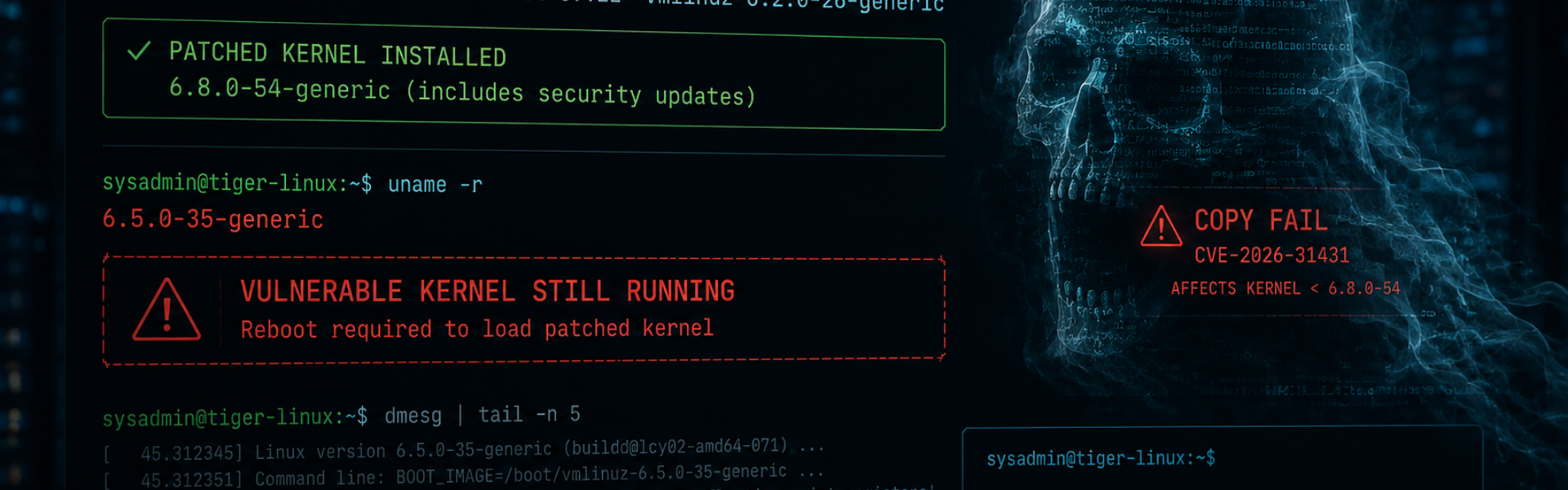
This is where many organisations get caught out. The installed kernel version and the running kernel version are often completely different things.
For example: uname -a
shows the kernel currently running in memory.
Meanwhile: ls /boot
shows what’s installed on disk.
If those versions don’t match, then vulnerabilities like Copy Fail may still work perfectly – regardless of how many updates were “successfully installed.”
This verification gap is one of the most common causes of post-patch exposure.
Why Patching Is Really an Operational Process
Good Linux patch management isn’t just: apt upgrade
It’s:
- understanding which vulnerabilities require immediate rebooting
- assessing operational impact
- coordinating failover in clustered environments
- validating services post-restart
- verifying kernel execution state afterwards
That’s where specialist Linux operational support becomes valuable. Not because internal teams lack capability, but because reboot orchestration in production Linux estates is often:
- high-risk
- time-sensitive
- operationally challenging
- heavily dependent on experience
The organisations that handle this best usually treat patching as a lifecycle, not a command.
A patch sitting on disk does nothing. Protection only begins once the system is actually running the new code.
So the next time someone proudly points to a server with 800 days of uptime, it may be worth asking a slightly different question: Is that resilience… or simply a reboot nobody’s been brave enough to schedule?
Do You Know Your Running Kernel Version?
Do you know your current running kernel version; or just the version you downloaded?
If you’d like help reviewing your Linux patching workflows, reboot strategy, or high-availability maintenance processes, feel free to contact us for a straightforward discussion.